What really happens when you turn on Airplane Mode on your phone – and why this feature matters more than you think
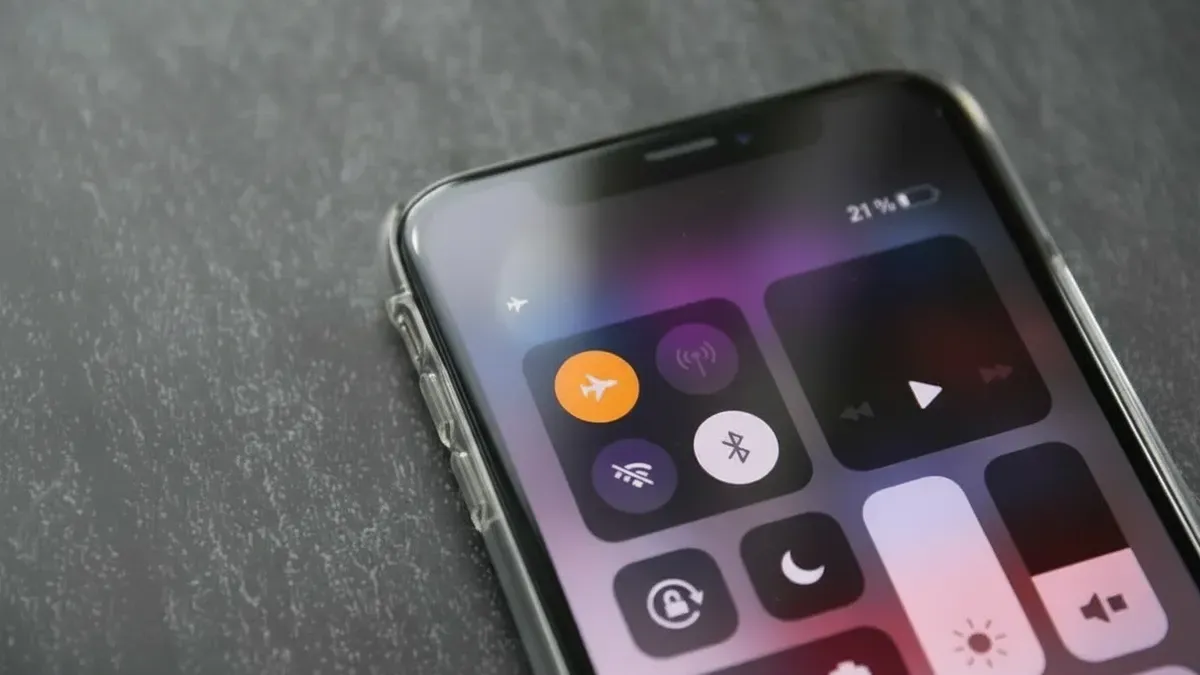
In a world where we’re always connected, switching off all wireless signals might sound odd. Yet airplane mode — originally designed to avoid interference with aircraft systems — has plenty of uses beyond aeroplanes. From saving battery and speeding up charging to helping you concentrate, that little toggle can be surprisingly handy in day-to-day life.
What airplane mode actually does
When airplane mode is switched on, it cuts all wireless connections: mobile signal, mobile data, Wi‑Fi, Bluetooth, and GPS (satellite location). That turns your smartphone into a kind of smart notebook — no network access, but the screen, camera, games and offline apps still work while the phone stops wasting energy trying to stay connected.
It was first intended to stop phones interfering with aircraft avionics, but today it’s useful almost everywhere: at home, the office, on a commute by public transport, or in the evening before bed. You can usually enable it with a single tap in the settings menu (or via Quick Settings / Control Centre on many phones), so its use has long outgrown its aviation roots.
Saving battery life
One of the main wins from turning on airplane mode is much lower battery drain. With the radios off, the phone stops hunting for cellular towers, Wi‑Fi networks or a GPS lock. That leaves the display backlight and any running apps as the main battery users.
For example, on trains or motorways a phone that’s not in airplane mode will keep searching for a signal and can run the battery down fast. With airplane mode on, power use drops and the battery can last several hours longer. The same is true in places with poor reception — basements or buildings with thick walls — where the phone otherwise sits in a power-hungry idle state. If you’re doing focused work or trying to sleep, leaving airplane mode on blocks notifications and background sync, often extending battery life by tens of percent.
Charging faster and reconnecting quickly
Airplane mode can also speed up charging. With mobile data, Wi‑Fi and Bluetooth off, fewer processes draw power, so more of the incoming charge goes straight to the battery — handy when you’re short on time. Turning on airplane mode before a quick top-up, keeping only the display active and avoiding power-hungry activities like gaming can add several percentage points during a brief charge.
If a phone won’t register on a network, flicking airplane mode on and off often does the trick. It acts like a mini restart and restores connectivity without a full reboot. That’s useful in areas with patchy reception, such as city outskirts or inside thick-walled buildings.
Boosting concentration and peace of mind
Beyond the technical side, airplane mode buys you mental space by cutting out the flood of notifications. It’s useful for meetings, study sessions or when you’re driving (where hands-free rules and safety apply), making sure the phone stays quiet while still giving access to handy tools like calendars or note-taking apps. In the evening it lets you silence alerts while keeping alarms active — a small step that can make bedtime less fraught. Many people find this digital quiet helps them resist the pull of constant connectivity.
When not to use airplane mode
Despite the benefits, there are times you shouldn’t switch it on. Avoid it if you’re waiting for an important call or relying on live navigation with traffic updates. Apps that need a continuous connection won’t work properly, and some safety features might be affected. It’s about balancing the need to stay connected with the desire to save power or focus.
Seen as a routine tool rather than a last resort, airplane mode can be useful every day. Whether you’re travelling, in a low-signal area, in a rush to top up the battery, or simply want a break from digital noise, it’s a simple setting that can help you manage both your device and your well-being.